Key takeaways
- Written acceptance on September 8 supplies the trigger that the August extraction run could not see.
- Using the September 1 forecast would make the report appear due one week early.
- The October 6 email documents delivery. The verifier still needs to check the three required metrics.
How do you track an obligation when the event that starts the clock has not happened?
Plover Labs has three possible “launch dates” in its fictional rollout file. Staff attended training August 26. The project plan forecast September 1. On September 8, the buyer accepted the production launch in writing. The contract defines that written acceptance as go-live and gives the supplier 30 calendar days to deliver a performance baseline.
An AI import in August can extract the obligation and its trigger. Entering the September 1 forecast as an actual event would produce an October 1 deadline. The buyer’s September 8 acceptance makes the deadline October 8. When the supplier emails the report on October 6, the first calendar would show it five days late. The signed rule puts delivery two days early.
Extract the entire promise
Ask the reviewer for the deliverable, who owes it, defined trigger, unit of time, and source section. Include any definition or exhibit that explains the trigger. Capture a short quotation in the owner's work record. The label “baseline report” is too sparse for a colleague to decide whether a slide deck or a signed measurement package satisfies the requirement.
Which milestones change the obligation?
| Trigger evidence | Source event or missing proof | Decision or next action |
|---|---|---|
| Forecast | September 1 in project plan | Schedule internal follow-up |
| Trigger | Written acceptance dated September 8 | Calculate October 8 in this example |
| Delivery | Report emailed October 6 | Verify required baseline metrics |
Give someone the job of obtaining acceptance
Assign the implementation manager a follow-up at the forecast launch. The task is to ask the buyer for dated acceptance covering this rollout. If acceptance has yet to arrive, reschedule the evidence check and leave the report date open. This gives the manager something to do without presenting a guess as a contractual deadline.
Calculate from the confirmed event
Check who issued the acceptance and which rollout it covers. Record its effective date, then reproduce the calculation against the wording. If different facilities have independent launches, split the commitment into records the facilities can verify. Keeping the source and evidence together makes a later correction much easier to explain to the supplier.
Define what closes the work
In ContraxAware, use the obligation owner, timing, source wording, and evidence to document the handoff. The supplier's email on October 6 may establish delivery. Name a separate verifier if the business needs to check that the report includes all three required metrics. Keep the delivery date and the verifier's conclusion available for the next service review.
Record the event that starts the clock
Open the obligation in Contract Map. Have the owner attach the dated acceptance and record the calculation. Ask another colleague to find both in the contract management system before relying on an overdue report.
This guide to verifying the source of a contract date walks through the evidence check.
Teams that track contract obligations in Contract Map can attach the written acceptance to the report obligation. When reviewing dates and renewals, use that acceptance date to check the first report deadline.
For the full workflow, read how to assign obligation owners and verify completion.
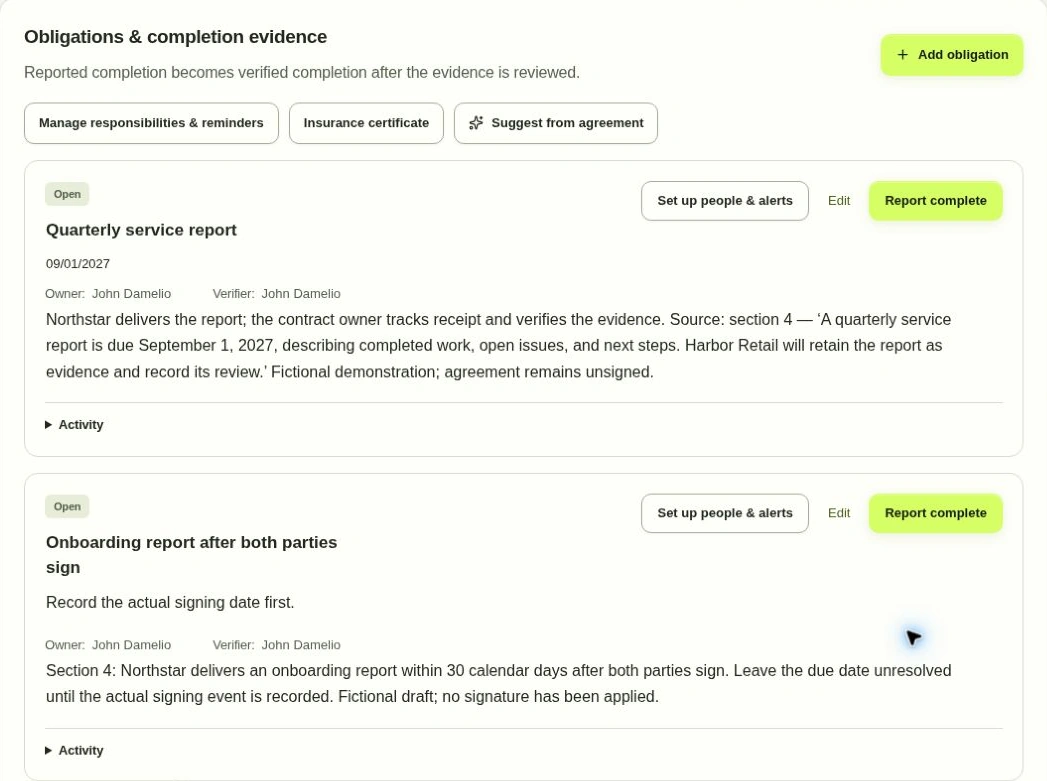 View full-size screenshot
Conditional obligation and trigger evidence worksheet
Classify each milestone, locate written acceptance, then calculate the report deadline and assign someone to verify the delivered metrics.
Preview a completed worksheet row
- Event or deliverable
- Team training
- Evidence
- Attendance record
- Date in sample
- 2027-08-26
- Role in timeline
- Preparation milestone
- Date calculation
- No contractual deadline starts
- Owner
- Training coordinator
- Decision or action
- Retain training evidence; continue monitoring for written go-live acceptance.
Frequently asked questions
What should an AI-generated task show before acceptance?
A named owner, a pending trigger, the interval, and the evidence needed to establish the date. A useful result explicitly identifies the piece of information that is still missing.
What if the buyer and supplier disagree about go-live?
Keep both accounts and their supporting records. Ask the authorized business owner and counsel to resolve which event the agreement recognizes before issuing an overdue finding.
What if separate sites go live on different dates?
Read whether each site's acceptance creates a separate reporting commitment. If it does, assign each site a source, acceptance record, owner and due date.
Which date should an executive dashboard show?
Distinguish open commitments awaiting a trigger from currently scheduled obligations. Put the owner and next evidence check beside a pending item so the team can still act.