01
Organize contracts around each location
A hospitality group may use one laundry supplier across three properties while each location has its own maintenance and cleaning agreements. A vendor name alone is not enough to explain which hotel is covered, who manages the relationship, or which copy is current.
Use contract types and custom fields to capture the property, service, and responsible person. Keep the original document with the record and use search and saved views to return to the agreements you manage. Configure document permissions for the participants who need access.
02
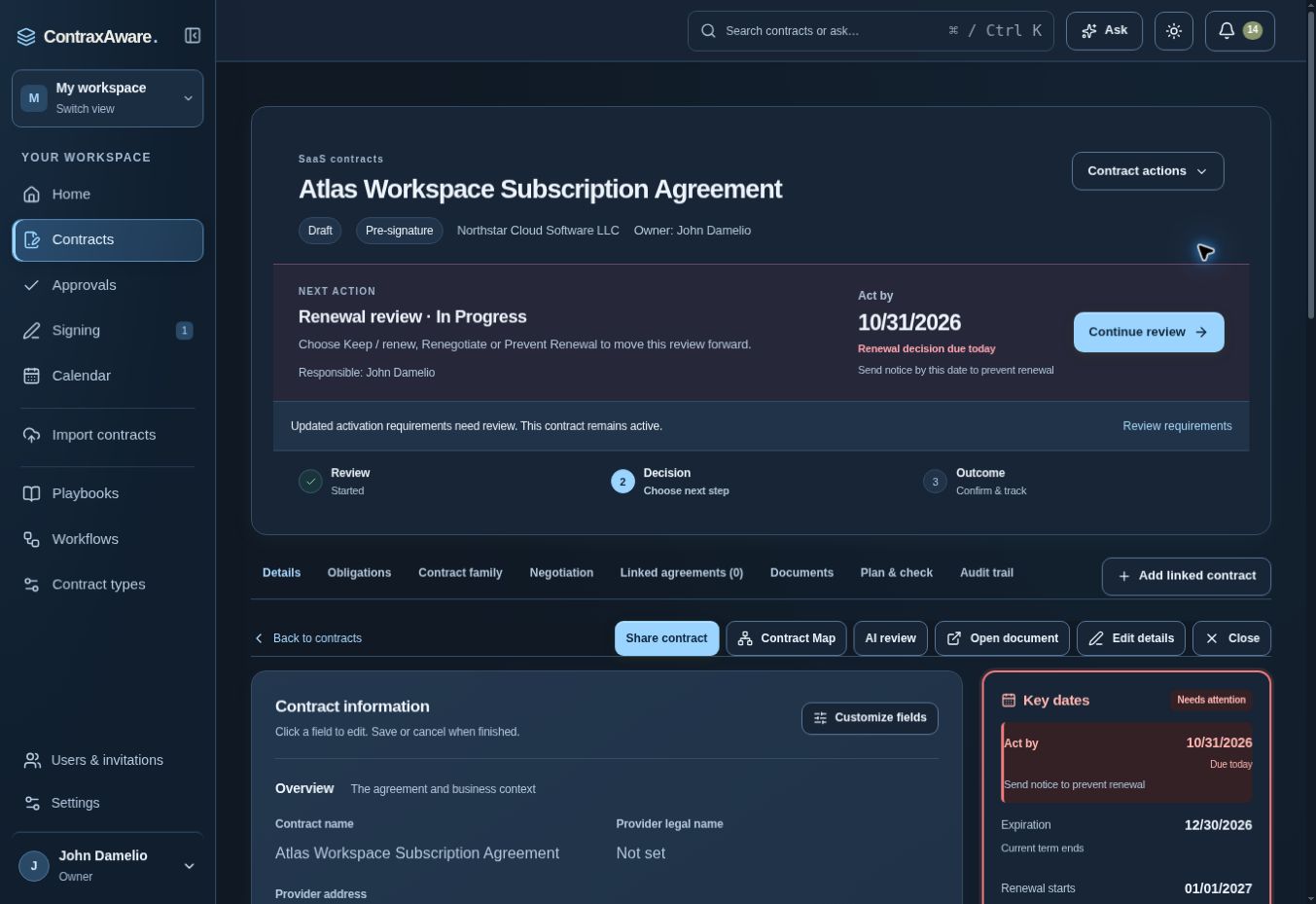
See the notice deadline before another season begins
A service agreement’s expiration date may fall after its automatic renewal notice window. A seasonal venue also needs time to review supplier performance before making a commitment for the next operating period. Record the renewal cancellation deadline and give the decision a named owner.
Open the relevant wording when reviewing dates, price changes, and notice requirements. Calendar views and reminders support planning; the contract team remains responsible for delivering any required notice and retaining evidence that it was received.
03
Turn service promises into practical follow-up
Hospitality agreements can include recurring inspections, cleaning schedules, equipment servicing, or insurance requirements. Capture an obligation with the source clause, the person responsible, and a due date. Attach a report or certificate as evidence rather than keeping the confirmation in a separate inbox.
Reported completion and verified completion serve different purposes. Keep the review step visible so a property manager can check what was supplied before treating the promise as fulfilled. Supporting files stay connected to the agreement they concern.
04
Keep changes connected to the original agreement
A new property, revised service scope, or seasonal extension may require an amendment. Link the related agreement to its parent so the team can see the relationship without losing the original wording. Review proposed changes before adopting a replacement document version.
Use approval and signing workflows for the saved copy that will move forward. Contract Map brings the document, dates, obligations, and related agreements into view. Begin with one property’s supplier contracts, verify the imported information, and expand the setup as responsibilities become clear.
Questions about hospitality contract management
Can we record a property or location?
Yes. Configure fields for the property or service location, then use the record and available filters to organize your portfolio.
Can we keep vendor insurance evidence?
Supporting files and obligation evidence can be kept with the agreement. Review certificates and dates before treating an insurance requirement as fulfilled.
Does this manage reservations or hotel operations?
No. ContraxAware supports contract workflows; it does not replace booking, property management, inventory, or point-of-sale systems.