01
Search the record and the wording
A filename rarely tells the whole story. An agreement may be known by a supplier name, a project, or a clause someone remembers. Contract search gives your team a starting point without depending on a folder structure that only one person understands.
Look for agreements and saved document text, then open the source to check the result in context. Search coverage depends on the text available from each document. An unreadable scan is not a reason to assume the clause is absent; review the original when text extraction is incomplete.
02
Turn filters into a working view
A list of every agreement is useful for orientation. Daily work usually needs a smaller set: contracts you are involved in, a particular agreement type, or records at a certain stage. Combine those choices with important-date and time-window filters to focus the list.
Mine and All set the scope across the view. Needs attention and Needs my action help distinguish portfolio follow-up from work assigned to you. A selected date type narrows the date question; clearing dates removes that extra restriction. Saved views let you return to the combinations your team uses.
03
Move from a match to its connections
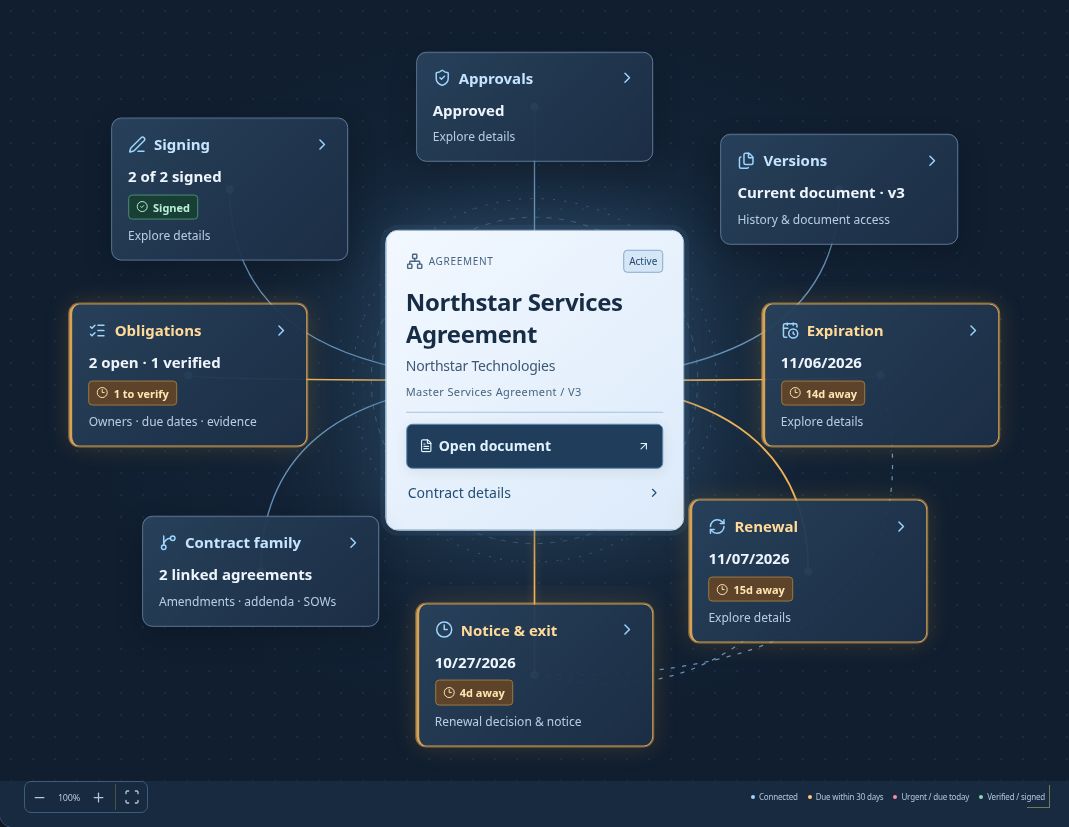
Finding the contract is the beginning of the task. You may still need the current wording, the person responsible for a renewal decision, or the obligation that needs evidence. Open Contract Map to follow those relationships without treating every result as an isolated file.
Use list, board, or calendar views according to the work. Keep historical records available for reference while choosing whether to include them in everyday results. Search results and visible records remain subject to workspace access.
04
Make a useful first search
Start with a company or agreement name that you know. Open the result, inspect its current document, and check that the contract type and responsible people are correct. Then add one filter at a time to build a repeatable working view.
For questions about a specific clause, use the contract-answer tools and examine the cited passages. AI answers and portfolio filtering serve different jobs. A source passage is something to review, not an approval or a replacement for reading the surrounding terms.
Questions about contract search & saved views
Can I save a set of contract filters?
Yes. Saved views keep useful combinations of filters, sorting, and grouping so you can return to the work you manage regularly.
Does search make every scanned file readable?
No. Search depends on available extracted text. Check the original when a scan or document does not provide reliable text.
Can I limit the list to my contracts?
Use Mine as the scope, then apply your view and other filters. All shows the records your access permits.