01
Work on the wording, not another attachment chain
Contract editing becomes harder when the document, comments, and commercial details live in separate conversations. Someone must work out which copy is current, whether a suggestion was accepted, and what the approver actually reviewed.
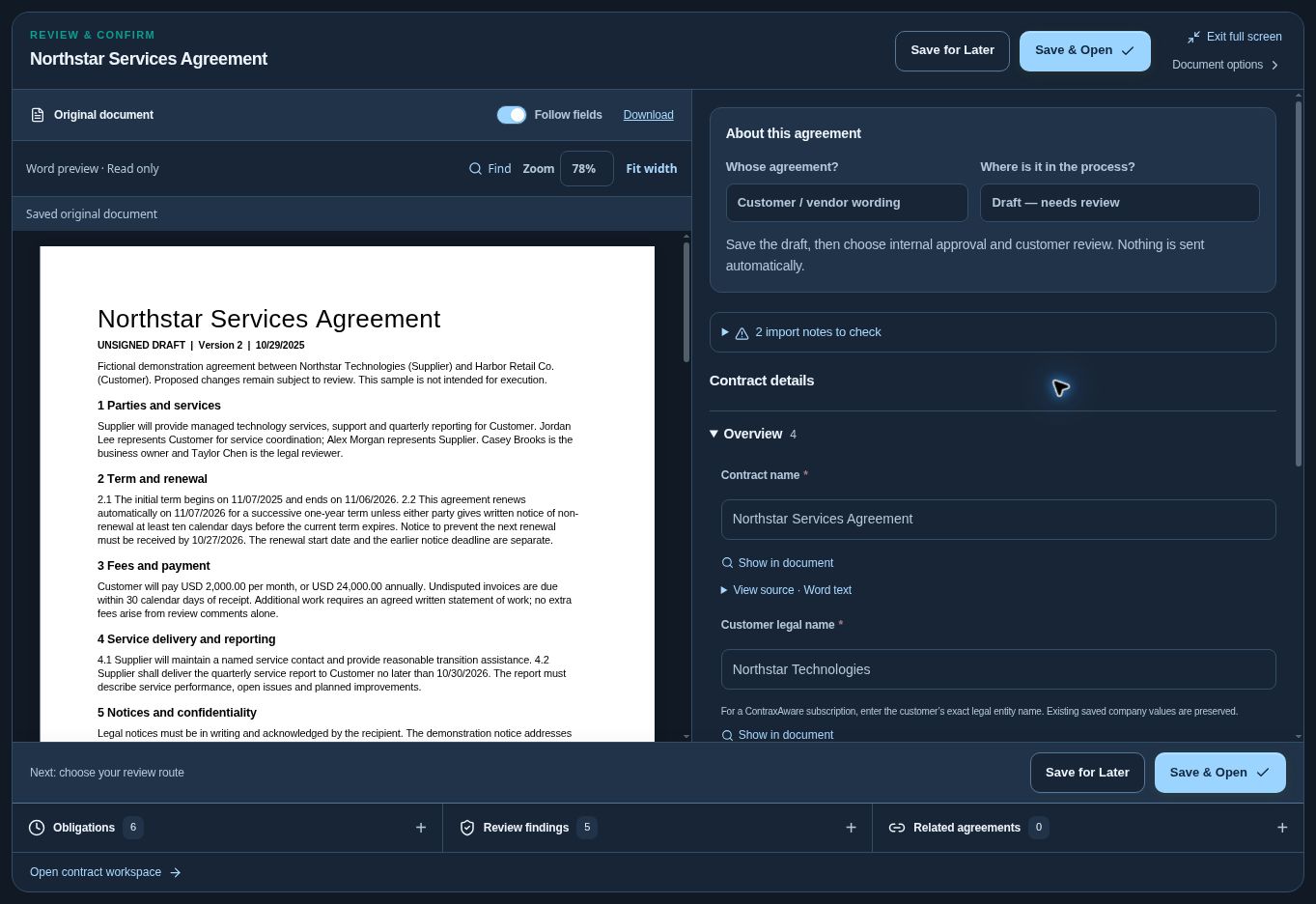
ContraxAware keeps unsigned Word drafts with the contract record. Use document editing and form details together when preparing the agreement. Save a clear version that the next reviewer can identify, while keeping earlier documents and the original available.
02
Treat redlines as proposals
A proposed clause change should be visible before it becomes agreed wording. Word review supports tracked changes and comments so the team can discuss the language rather than replacing the saved contract without explanation.
For example, a reviewer may propose a different insurance requirement. The team should inspect that wording, decide whether to adopt it, and check related obligations. A suggestion or comment does not by itself amend a signed agreement or complete an approval.
03
Choose the access each reviewer needs
Not every participant should have the same editing permission. Invite external reviewers to the specific saved review copy and choose viewing, comments, or suggested Word changes where supported. Keep external review conversations separate from internal working notes.
Word drafts support tracked redlines. PDFs support viewing and comments rather than Word-style tracked editing. Review returned files and proposed changes before adopting a replacement version. The contract team stays responsible for moving the canonical agreement forward.
04
Compare versions before the next approval
A small change can affect the commercial outcome. Compare saved document versions and review the actual language before deciding that a draft is ready. Preserve the earlier record so a later question can be answered from the saved work.
Adopting redlines creates a new version for fresh approval. That keeps review and signing tied to the wording the team actually accepted. After execution, use a separate amendment or other appropriate process instead of silently rewriting the signed original.
Questions about contract editing & redlining
Can external people suggest Word changes?
Yes, when invited to an unsigned Word review with the appropriate permission. The team reviews and adopts changes explicitly.
Can we compare saved document versions?
Yes. Compare versions to inspect what changed before approving the replacement wording.
Are PDF comments the same as Word redlines?
No. PDFs support viewing and comments; Word-style tracked changes apply to Word drafts.