ContraxAware vs. Concord: Which Contract Management System Fits Your Team?
Quick verdict
Concord suits teams that negotiate in a shared browser document or Microsoft Word and can put most colleagues in free viewer or guest roles. ContraxAware gives every department working access under one flat annual price. Its Contract Map lets a reviewer trace a master agreement to the amendment, approval and notice deadline that matter today.
At a glance
| Buying criterion | Concord | ContraxAware |
|---|---|---|
| Pricing & User Seat Model | Annual plans start at $499/month for Essentials or $899/month for Business, each with five users. Extra users cost $49 or $69/month respectively. Viewers and guests are unlimited and free. | Complete costs $4,800/year ($400/month billed annually). Enterprise costs $12,000/year ($1,000/month billed annually). Unlimited users and unlimited contracts are included in each. |
| Primary Strength | Collaborative negotiation in a Live document, Microsoft Word options and contract summaries. Business adds request intake and approval workflows. | A shared record for each agreement family. The owner can follow a master agreement through review, signature and changes to the dates or duties it creates. |
| AI Data Extraction & Source Verification | Concord flags extracted fields in the Summary panel for review and correction. Horizon AI Copilot also links its answers to supporting sources. | AI extraction pairs the proposed field value with the source clause. Check the passage in the signed file before saving a value that drives a reminder. |
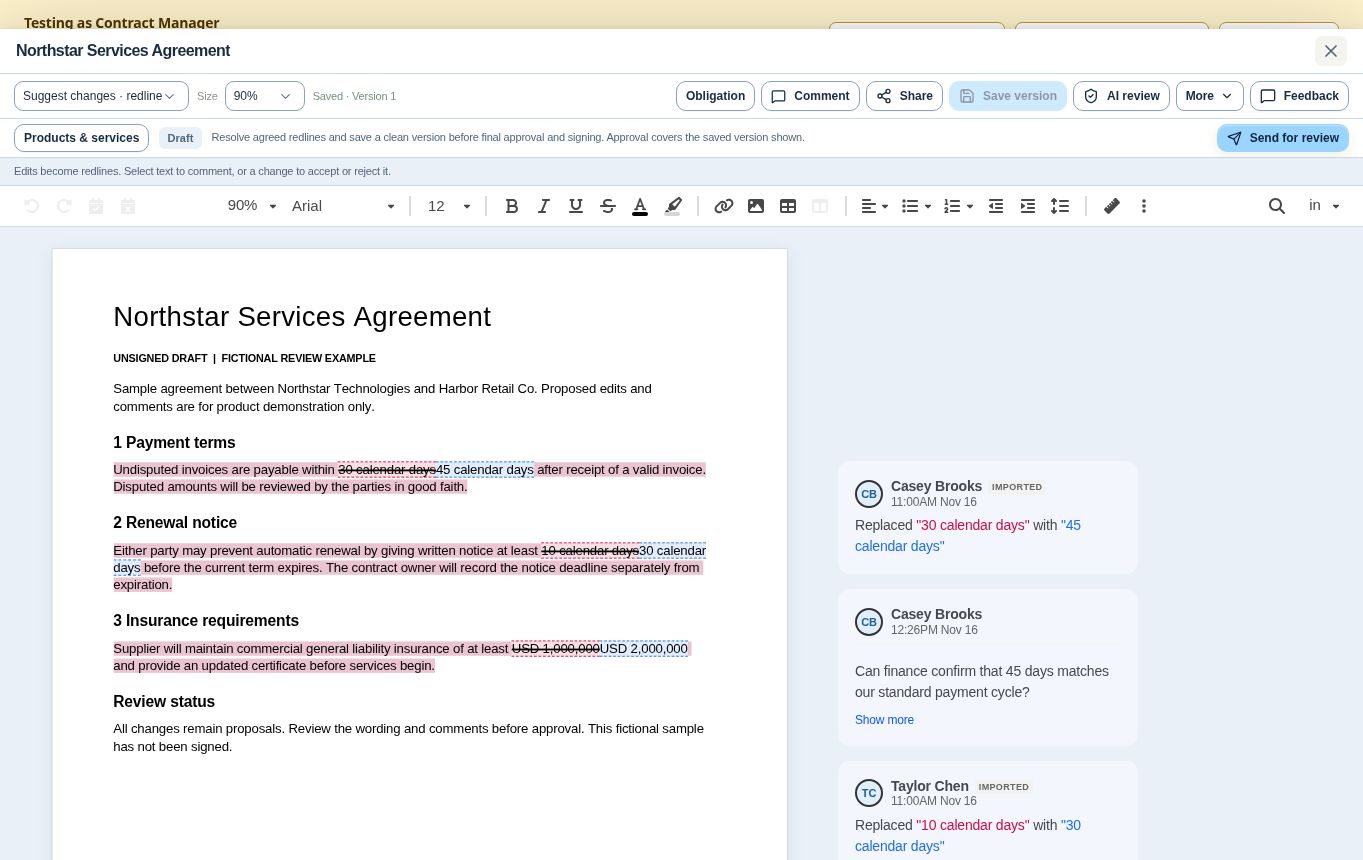
| AI Playbook Review & Word Redlining | Concord documents AI playbooks and both browser and Microsoft Word negotiation. Its Word Online add-in sends files between the two applications. | Review the Word draft against preferred terms and fallbacks, compare saved versions and attach the approval to the version counsel actually reviewed. |
| Agreement Relationships (Contract Map) | Link signed documents together, choose the relationship and open them from the Summary tab, subject to each document’s permissions. | The visual Contract Map shows the master services agreement, statements of work, amendments, approval history and open obligations together. |
| Renewal & Notice Deadline Tracking | Concord records the renewal details and termination notice period in its lifecycle fields. Users with access can receive alerts and set advance notice preferences. | Keep the renewal and notice cutoff as distinct dates, follow the cutoff back to the source text and assign reminders to the decision owners. |
| Data Migration & Onboarding | Administrators can import signed agreements as ZIP batches and apply a folder or tags to a batch. AI extraction can also run on existing records. | Both subscriptions include hands-on migration of PDF and Word files. Review a signed master and its amendments together before moving the next group. |
| Typical Time to Go Live | Concord reports that initial configuration can take a day and that full organizational adoption typically takes two to three weeks, based on its customer data. | A self-serve 14-day trial is available without a credit card. Agree a rollout date once your pilot covers a Word review, an approval and one verified renewal. |
Comparison based on publicly available website and pricing information as of November 2026. All product names and trademarks belong to their respective owners.
Pricing and product sources
- Concord pricing, users and features by plan
- Concord Live Mode and Word Mode
- Concord Microsoft Word Online integration
- Concord AI extraction and human review
- Concord Copilot source verification
- Concord AI playbooks and fallbacks
- Concord signed document links
- Concord lifecycle fields and notices
- Concord bulk migration
- Concord reported adoption times
- ContraxAware pricing and migration
- ContraxAware Word review and version history
How does outside counsel return a marked-up Word file?
Send each platform the same DOCX with a numbered liability clause and a pricing exhibit. Concord lets you import it in Live Mode for browser comments or in Word Mode to preserve the original formatting. Its Microsoft Word Online add-in can also send revisions back to Concord. In ContraxAware, invite counsel to mark up the Word draft without creating an account, compare the returned version and record which version finance approved. Check that the exhibit and paragraph numbering survive the round trip.
Explore Word redlining and version comparisonCan procurement trace an amendment to the right statement of work?
A supplier has one master services agreement, two statements of work and an amendment raising the support fee for just one location. Concord lets an owner link signed documents through the Summary tab. A reader’s permissions determine which linked files they can open. ContraxAware puts the agreement family on a visual map alongside obligations and approvals. Hand a colleague the supplier name and ask them to identify which location owes the higher fee and who approved it. That is a practical test of both the links and the permissions.
Follow a master agreement and its amendmentsWhat happens when an amendment changes the notice period?
Take a master agreement with 90 days’ notice and a signed amendment that changes it to 45. In Concord, inspect the AI-suggested lifecycle fields, check the source through Copilot and review the notice value alongside the renewal. In ContraxAware, use Contract Map to open the amendment, follow the extraction citation to the wording and confirm the earlier deadline against the renewal date. Then ask the procurement lead which date will trigger the internal decision and who is responsible for sending the notice.
Verify extracted terms against the source clauseWhich colleagues need paid seats to move a request forward?
Count twelve people who need paid working access, then count the colleagues who only read or receive documents. At the published annual rates for twelve paid users, Concord Essentials comes to $10,104 a year. Business, which adds intake and approvals, comes to $16,584. Free viewers and guests add nothing to those totals. ContraxAware Complete stays at $4,800 as departments join. Price one real purchase request through review and approval so you compare the right roles and plan.
See how an approval follows the reviewed versionWhen to Choose Concord Instead
- The team prefers to negotiate together in Concord Live documents and use Word Online for the files that need it.
- A small group manages the portfolio while many colleagues only need the access Concord gives free viewers and guests.
- You want Concord Business intake and approvals alongside its documented Salesforce, HubSpot or cloud storage integrations.
Choose ContraxAware if
- Counsel wants to send a Word draft to external reviewers and verify precisely which version the approver authorized.
- Procurement needs a visual route from the master agreement through amendments to the people responsible for fees, notice and delivery.
- Departments regularly take on new contract responsibilities and you want their working access included at the published annual price.
Buyer questions about Concord and ContraxAware
Do we have to stop using Microsoft Word if we choose Concord?
No. Concord has Live Mode for browser editing, Word Mode for formatting-sensitive files and a Word Online add-in. ContraxAware also supports Word redlining. For a useful comparison, return the same marked-up exhibit to both platforms and check its formatting, comments and approval history.
Which Concord users count toward the subscription price?
Concord includes five users in Essentials and Business and allows unlimited free viewers and guests. Additional paid users cost $49 per month on annual Essentials or $69 on annual Business. Match each person’s required permissions to a role before counting seats. ContraxAware includes unlimited working users on both plans.
Can Concord and ContraxAware both link a master agreement to amendments?
Yes. Concord links signed documents from their Summary tabs and applies each file’s access permissions. ContraxAware shows the related agreements in Contract Map with their approvals, obligations and deadlines. Use an amendment that changes only one statement of work to test how a colleague finds the governing terms.
How do we move a Concord agreement family to ContraxAware?
Collect the signed master, amendments, statements of work and Word drafts you wish to keep. Record the current owner, related-document links and verified notice deadline before export. ContraxAware includes hands-on PDF and Word migration. Check those relationships and dates on one supplier family before moving the remaining portfolio.