
Key takeaways
- Assign each agreement a stable ID and preserve the executed original.
- Give amendments their own record linked to the base agreement.
- Put the source section and responsible person beside each date that drives a decision.
Define the contract record before importing files
A centralized contract database should answer a real question quickly. Suppose a colleague asks which service agreement governs the east warehouse, who owns it, and the last date to give notice. They should be able to find one agreement family, identify the signed records that apply, and see the next action.
Give each agreement a stable contract ID. Keep the signed file, legal counterparty, contract type, responsible owner, and document status together. Use a related record for an amendment or statement of work. Give the related document its own effective date and link it back to the parent agreement.
Decide which fields should be searchable across the portfolio. Use a consistent status and legal party name so two departments can find the same contract. Then add contract-type fields for work that needs them, such as location, insurance expiry, or recurring reports. The contract metadata and custom fields chapter explains how to design those fields.
Follow a signed amendment through the database
In this fictional example, the Silver Pine Facilities agreement originally ends June 30, 2027. Section 8 requires 60 calendar days’ notice. Signed Amendment 01 extends the term through September 30, 2027 and leaves the notice clause in force. The notice deadline in the example moves from May 1 to August 1.
The contract administrator links the executed amendment to the original. On the base record, they update the verified term end and notice deadline, add the supporting sections, and give the owner an internal review date of July 15. The reviewer can open both sources and explain the calculation.
If a file arrives unsigned or the scope of a change is uncertain, capture what needs verification and assign it to a reviewer. Review the current signed wording and any relevant amendments before using the new date in a contract reminder plan.
How the Silver Pine records connect
| Record | What it contains | What to verify |
|---|---|---|
| CT-0241 · Base agreement | Signed agreement, active owner, current term and notice date | Original notice period in Section 8 |
| CT-0241-A01 · Amendment | Executed extension linked to CT-0241 | New term end in Section 2 |
| Renewal review | July 15 internal review and August 1 notice deadline | Owner, current wording, and next reminder |
Check imported fields against the signed source
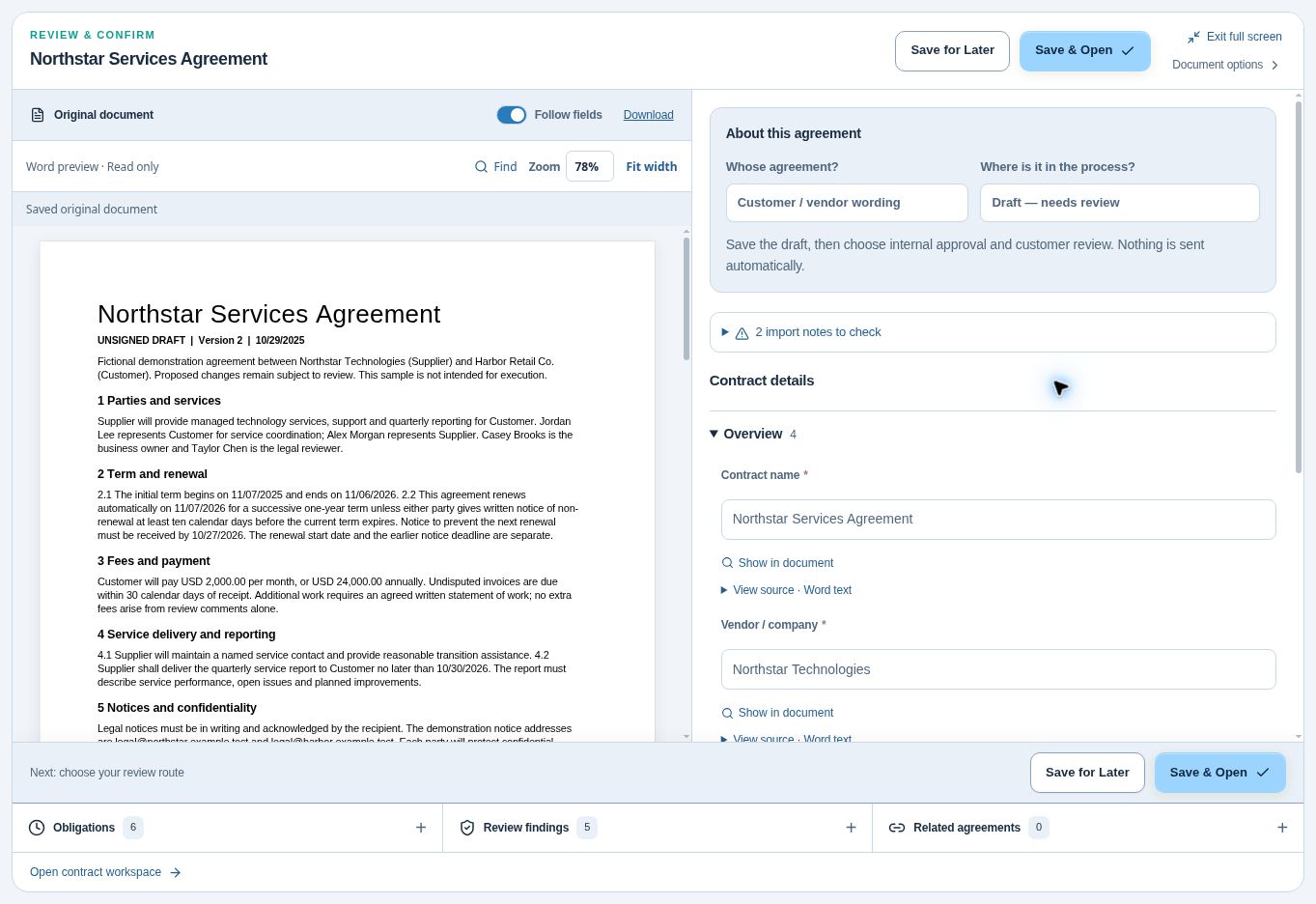
Start with one complete agreement family. Compare the counterparty, signature status, term, dates, and key obligations against the original. Record the source page or section for anything that can change a deadline or a decision. Use a known owner to settle exceptions.
ContraxAware’s contract data extraction puts proposed values beside their source so a reviewer can verify the record. Once the information is saved, the contract repository connects signed documents, related agreements, and responsible people.
Track copies and uncertain files through your migration inventory. Give the team a path to correct records after import. The repository migration guide covers reconciliation, access, and the first pilot batch.
 View full-size screenshot
Give a colleague a real search to run
Ask someone with appropriate access to find the agreement by counterparty, open the signed amendment, explain which term changed, and name the next person who acts. Then ask them to show the wording that supports their answer. Try the sample clause search to see how a searchable repository helps with that second question.
Use the same exercise when comparing contract database software. Evaluate whether it connects the records, their sources, and the actual work. A contract management system can use the same record to route approvals, track renewals, and assign post-signature commitments.
Centralized contract database template
Use one row per agreement or related record. Start on the blank Working copy tab. Use the fictional Silver Pine records to see how parent IDs, source sections, dates, and the next action fit together.
Download the worksheet (.xlsx)Frequently asked questions
What is a centralized contract database?
It is a shared collection of agreement records and their supporting documents. Useful records make it possible to find the signed source, related amendments, assigned owner, and upcoming dates.
What fields belong in a contract management database?
Start with the contract ID, parent ID, legal party, type, document status, relevant dates, owner, source, and next action. Add fields for the operational decisions each contract type requires.
Can I start a contract database in Excel?
Yes. Use an agreement ID, parent relationships, and links to controlled source files. When you need shared permissions, approval workflows, search across agreement text, or scheduled reminders, evaluate software with those capabilities.